About This App
- Name Color Widgets, Theme: iWidgets
- Category Lifestyle
- Price 0
- Safety 100% Safe
- Developer SolidDevsKit
- Version 3.7.5

Description
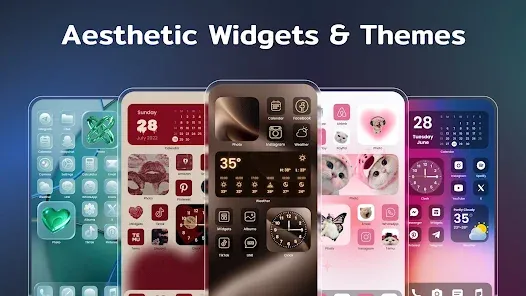
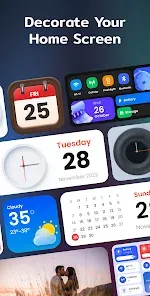
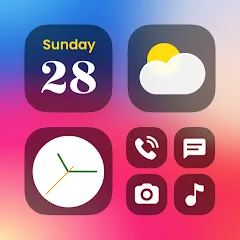
It provides you with abundant widgets to decorate your phone screen, such as clock, photo, X-panel, calendar, weather, battery level, Bluetooth status and event timer, with multiple sizes to meet your different needs.
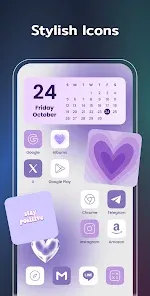
Stylish themes, custom icons, and practical widgets—design your perfect home screen now!
🧐Highlights of iWidgets:
✦ Works on all Android devices
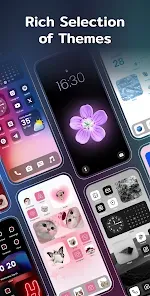
✦ Various aesthetic themes
✦ One-click to add widgets
✦ Customize app icons freely
✦ Timers for important events
✦ Add small/medium/large widgets
✦ Multiple widgets & diverse widget styles
✦ Make your screen unique and exclusive
🎉X-Panel Widget
- A collection of shortcuts on your home screen
- Check your phone’s status in one place, current date & time, network connection, Bluetooth status, battery level, storage, etc.
- Quickly turn on/off the flashlight, connect/disconnect Wi-Fi, etc.
🎬Photo Widget
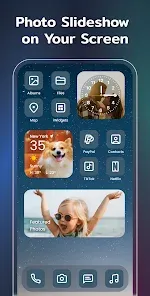
- Decorate your home screen with your cherished photos
- Support photo slideshow, recording your fond memories with family, friends or pets
🕛Clock Widget
- Exquisite clock widgets to make your phone screen more brilliant
- Analog and digital clock widgets for your choice
- A variety of aesthetic clock widget styles
⛅Weather Widget
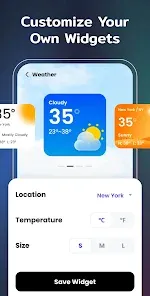
- Local weather information at your fingertips - real-time temperature, weather conditions, etc.
- Simple and elegant display interface
📅Calendar Widget
- You can set the widget to display the current date or the entire month
- Creative and vintage styles for you to choose from
🎨Exquisite Themes
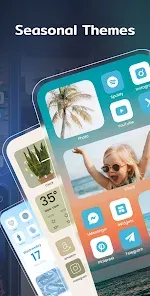
- Preset themes in different styles: anime, neon, aesthetic, human, etc.
- Change app icons as needed
- Widget styles matching the theme
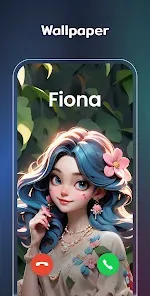
- Customize wallpaper to your liking
⏳Event Timer
- Countdown to your most important events: birthdays, anniversaries, activities, or special dates
- Clearly visible screen timer to help you plan related matters
🧩Custom Icons
- Redesign app icons to show your own style
- Make your home screen stand out with a unique look
✨Upcoming Widget Types:
✦ To-do list - Simple & straightforward way to maintain self-discipline, improve your study and work efficiency
✦ Notes - Record your mood or important matters anytime, anywhere
⚙️Required Permissions:
Storage permission is required to display photos
Location permission is required for [Weather Widget] to show weather conditions
Location permission is required for [Distance Widget] so that you can always know how far the other one is
Notification permission is required to refresh the information on widgets
AccessibilityService API
This permission is required to display the Control Center on the screen and enable user-initiated actions. Rest assured, we will never access any unauthorized permissions, or disclose users' personal information to any third parties.
We support multiple color widgets & themes to meet your diverse needs. With this powerful widgetsmith tool, you can easily personalize your home screen. One-click to add widgets, change themes, customize icons, and set up event timers. Let your phone reflect your style and keep your life organized.
Your support is our greatest motivation. If you have any questions or suggestions, please contact us at widgetsfeedback@gmail.com.
Download From The Store


Frequently asked questions
If you're an Android user and don't download the app from the official Google Play Store, you may find the installation process more complicated than usual.
We fully understand your concern about safety. We agree that one person wouldn't be too careful in the cyber world. Meanwhile, we are happy to tell you that one of our priorities is to provide our users with safe app files that they can use without any worries.
We guarantee that all the app files we provide originate from official and reliable sources. We promise that they do not contain any malware that will harm your hardware or the safety of your privacy.
We are happy to inform you that the answer is an absolute YES! All the apps on our website are 100% free to download. Besides, you do not have to create an account. Just click on the download button, and it's done.
Recently we received a lot of emails from our users saying they couldn't log in for different reasons, such as "forgot the user name or password" or "had a new phone." We are willing to help you out. Please read the notes below to see what we can do.
To answer this question, please first let us know which account you're referring to.
If you're referring to your account of some app, like your Facebook account or your Youtube account, unfortunately we would not be able to help in this case. We would suggest you turn to the customer service of this application.
This question is essentially quite similar to the prior one. It's a pity that we are unable to help you cancel the subscription to a third-party application directly, while we would suggest you contact its customer service for further information.
Sorry that we are unable to help you get a refund from a third-party application directly. If you wish to get a refund from a third-party app, we would suggest you contact its customer service. We would be happy to provide you the way to contact them.
If you want a refund from us, we should apologize for your confusion. Our service is 100% free, and any payment information is not required.
If you run into any site that asks you to provide your payment information, be careful. Remember never to reveal your payment information to any unauthorized third parties, no matter how tempting their offer may seem.
Sorry that we cannot answer this question directly, as this section only aims to answer some general questions. You may find how to use a certain app by checking our review page.